
Workout software for the studio session and the plan at home
Enosis is workout software for both places a client trains. You build the workout and run it with the client from your phone, and at home they follow the same workout in their own app. Those days show in your charts beside the sessions with you.
- Free during the beta
- Italian, German and English
- Hosted in Germany
For personal trainers
Build the workout
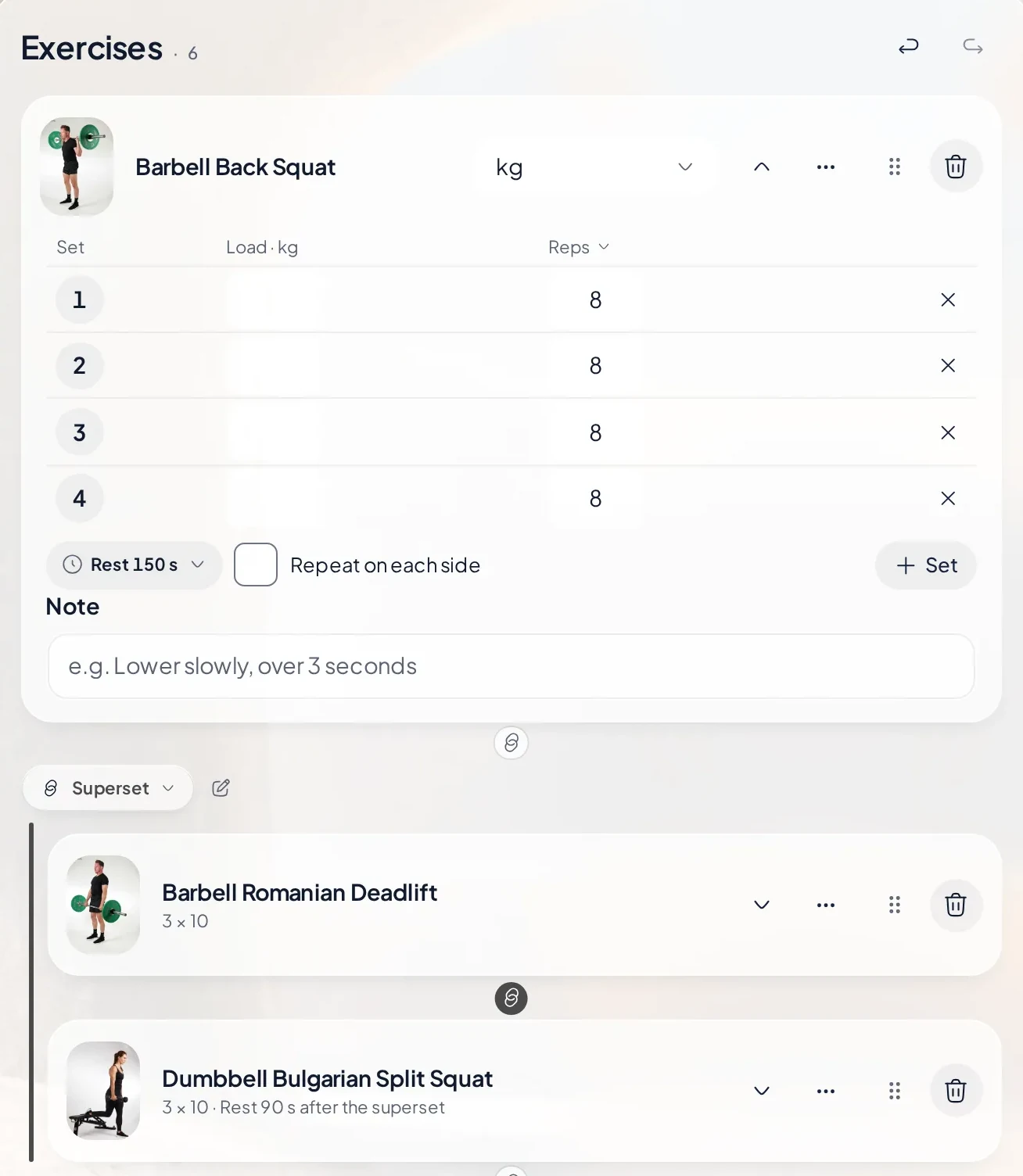
Three sets of 12, 60 seconds' rest, and the next two exercises linked as a superset. Build a workout once and adapt it to each client. Rep ranges, supersets, circuits and titled sections are all in the one builder, and a client can have several workouts going at the same time. Change a value on one set and apply it to the sets that follow.
Paste the plan you already have
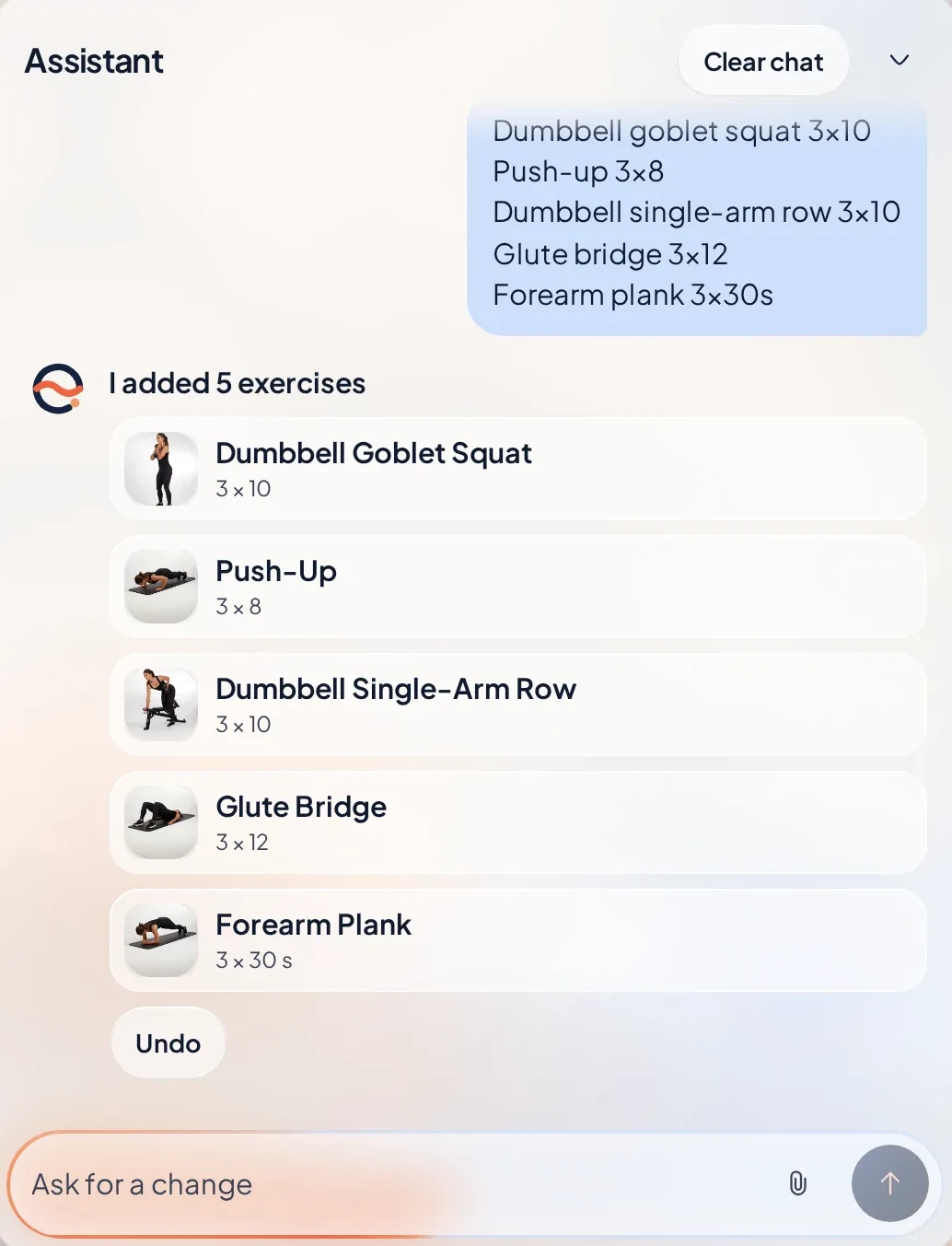
In the builder, write the workout in a sentence, paste it as text, or attach your plan as a Word or Excel file or a PDF with selectable text. Photos and scanned PDFs are not read. The assistant adds the exercises with the sets, reps, loads and rest you wrote. Where it is not sure which exercise you meant, it asks you to pick, and every change it makes can be undone before you save the workout.
Run the session
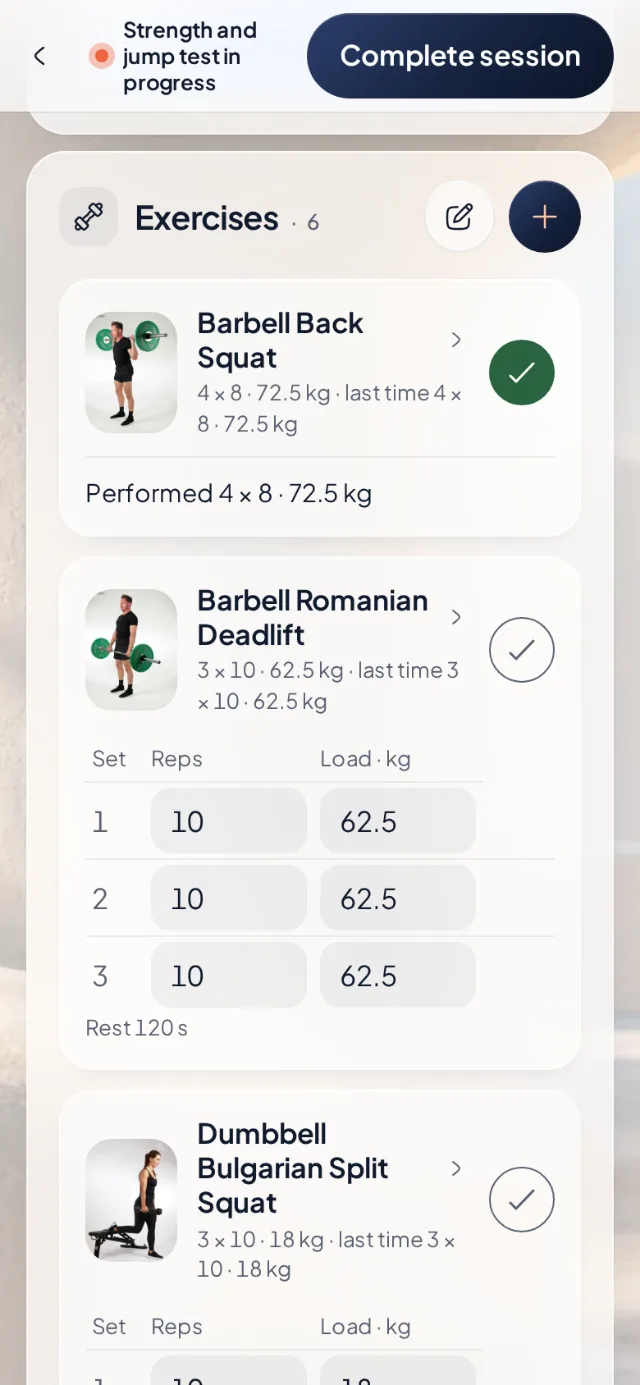
A live session: the client's workout, with last time's loads. Open Today on your phone and start the session. Each set is already filled in from the workout, with last time's load beside it. Tick it when it is done, or change the reps and the load first.
Training on their own
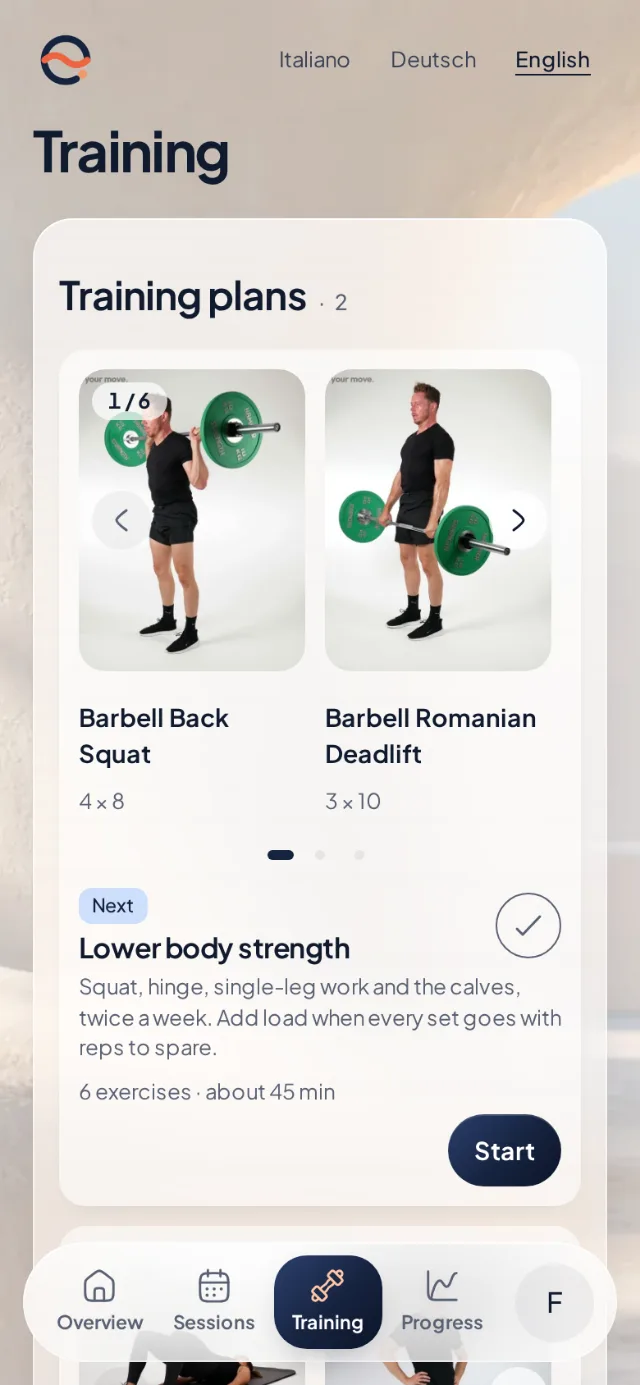
Training in the client's app. In their app the client sees every active workout. They can tick a whole day as done, or log each set with the reps and load they managed. Those days count in your weekly figures, marked as done on their own.
More about the client appRead the progress
The training dashboard counts each client's sets week by week and shows their records and estimated 1RM. Sessions in the studio and days at home are counted together.
For physiotherapy
The same workouts, as the exercises a client does between visits.
The exercises for between visits
Build the home exercises from what you did in the session, and change them from one visit to the next.
They follow it at home
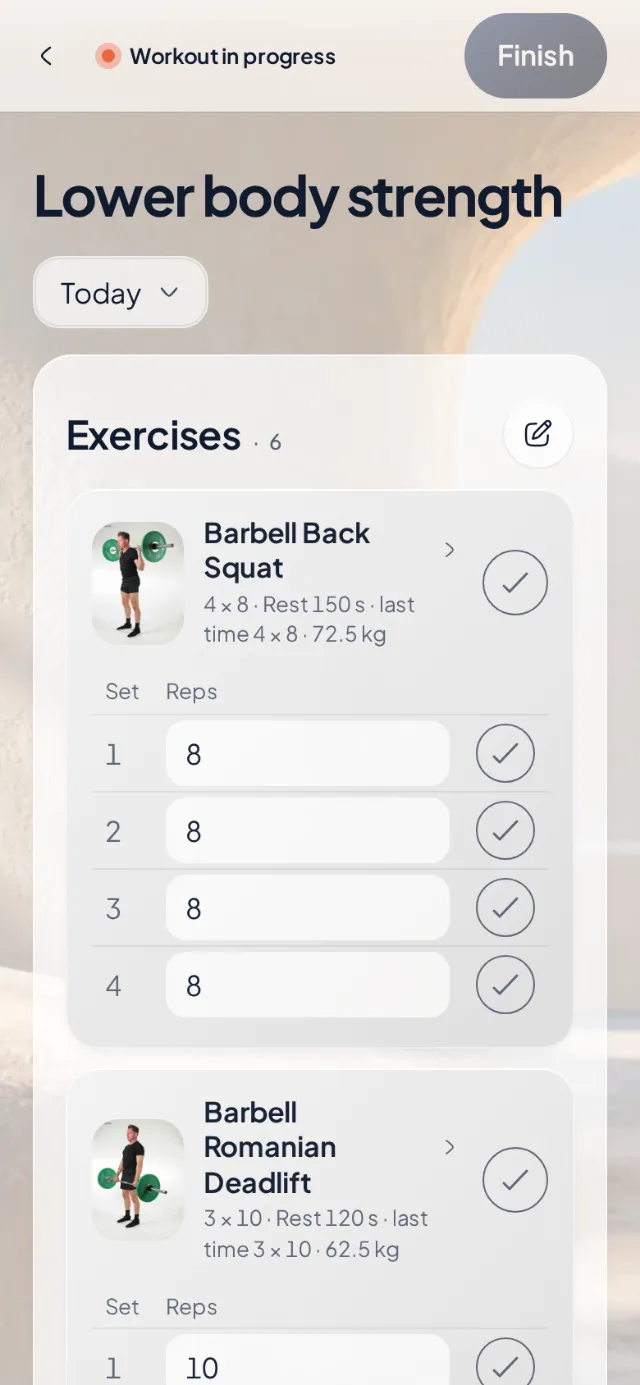
The client's workout at home, set by set. The client opens it on their phone, in Italian, German or English, whichever they chose.
Adjust it at the follow-up
Before you change anything, you can see what they logged at home. Then change the values, or end the workout and give them a new one.
Enosis for physiotherapy
What it does
Rep ranges and supersets
Write a range where the client decides on the day, and pair exercises that belong together.
The session on your phone
The session keeps the reps and loads the client did, even when they differ from the plan.
Workout templates
Keep a workout as a template, and give it to any client with its values as they are or changed.
What it does not do
One practitioner per studio
During the beta a studio has one login. Several practitioners, roles and a front desk are coming.
No meal plans
A workout holds exercises only. There are no meal plans in Enosis.
No chat
Enosis has no messaging.
It needs a connection
Enosis works only with an internet connection. When the connection drops, it says so, and nothing can be saved until it is back. A note or workout you were editing is saved once it returns, if the app stays open.
Goes with
The client app
What your clients see and do in their own app.
Online booking
One link where clients pick a time, with email reminders.
Questions
Can I use my own exercises?
Yes. You write the workout: which exercises, in what order, and the sets, reps or range and load for each one.
What does my client need to follow the workout?
Your studio's link on their phone. The workout opens in the browser, so there is nothing to download from a store.
Do I see whether they trained?
You see what they logged, either the day ticked as planned or each set they entered. On each client's record you also see when they last opened the app, on how many of the last 14 days they logged training, and the last day they did. A day they did not log does not show up, and there is no list of clients who have stopped: you look client by client.
What does the workout assistant see?
Your message and the workout's name and exercises, never the client's name or details. Nothing you type is kept. It runs on OVHcloud AI Endpoints, and each request uses part of your studio's monthly AI credits.
Request beta access
Enosis is free during the beta, and studios join by invitation. Leave your email to ask for an invitation.
Already invited? Log in