Enosis LAB
One place where the studio thinks.
Enosis LAB captures and organizes everything your studio measures into one hub, then runs your entire business around it.
The problem
Every measure taken in your studio lives in its own format, at its own pace, in its own place: a notebook, a spreadsheet, an export from a device. None of it meets.
- Client record
- Handheld dynamometer
- Force plate
- Goniometer
Our solution
One platform where every reading lands, with a dashboard you can shape yourself, so you can find, explore and organise your data with ease. Pick a side to follow it.
Elbow flexion · isometric peak · N
Contact us
Studios in Switzerland, Austria and Italy have already started using the Lab. Leave an address and we will show you how to start too.
Three problems every studio runs into.
One app per device
Every machine arrives with software of its own. The number of programs you work in is the number of devices you own, and each one exports on its own terms.
One file per session
Every session you run ends as another file: a CSV, a spreadsheet, a PDF. Each one is left wherever the device put it, in a phone gallery or an inbox.
No structured history for the client
Nothing follows a client from one visit to the next. Their story is held in your head and in a notebook, and it is rebuilt from memory every time.
Enosis LAB solves them all.
One app for all your devices
The Lab reads the exports your machines already produce, so every one of them ends in the same program and you stop moving between them.
One place for all your sessions
Each export lands on the client it belongs to as it arrives. A session is stored the moment it ends and nothing gets lost.
Every client builds their own history
Every visit adds to the same timeline, so a client's whole history is on one screen and the last session is there before you ask for it.
It reads the devices you already own.
Enosis LAB already reads the exports of many of the devices studios use every day, and adding a new one is quick for us.
- Force plates
- Dynamometers
- Strength gauges
- Grip testers
- Yours next Not on the list yet? Send us one export and we will add it.
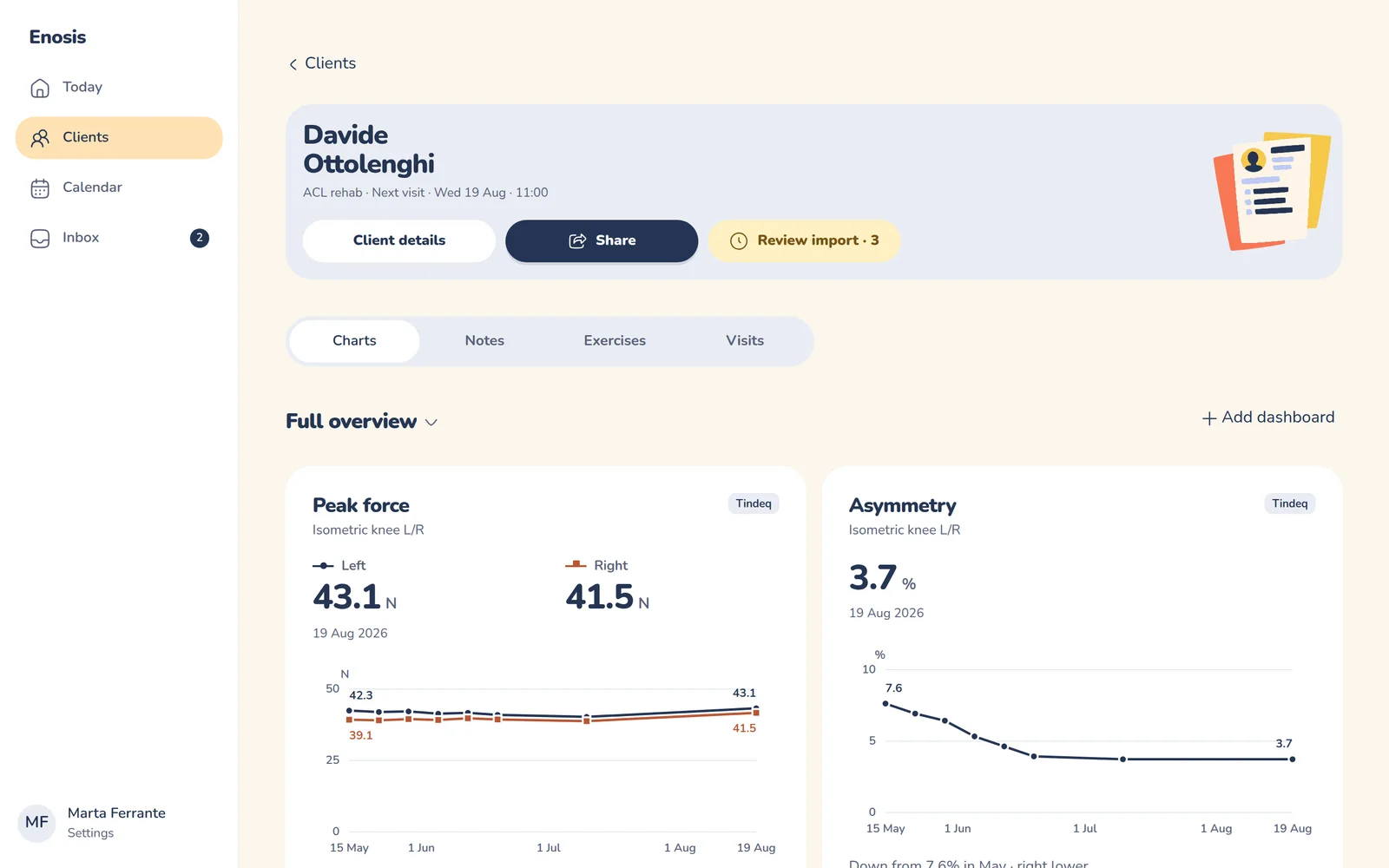
And projects everything onto a dashboard you can easily shape.
Pick the charts a client's dashboard shows, reorder them, and save the layout as a studio default for everyone working towards the same goal. Try it: pick a metric, then a way to see it.
A. Beltrame Hand dynamometer · peak force
Demonstration data · fictional client
Left against right
Pick a side to read its change in words. The gap between the two sides is shown below.
Gap between sides: 2 kg, from 14 kg in Feb
Hover a line, or pick a side, to read the change.
Your new workflow.
-
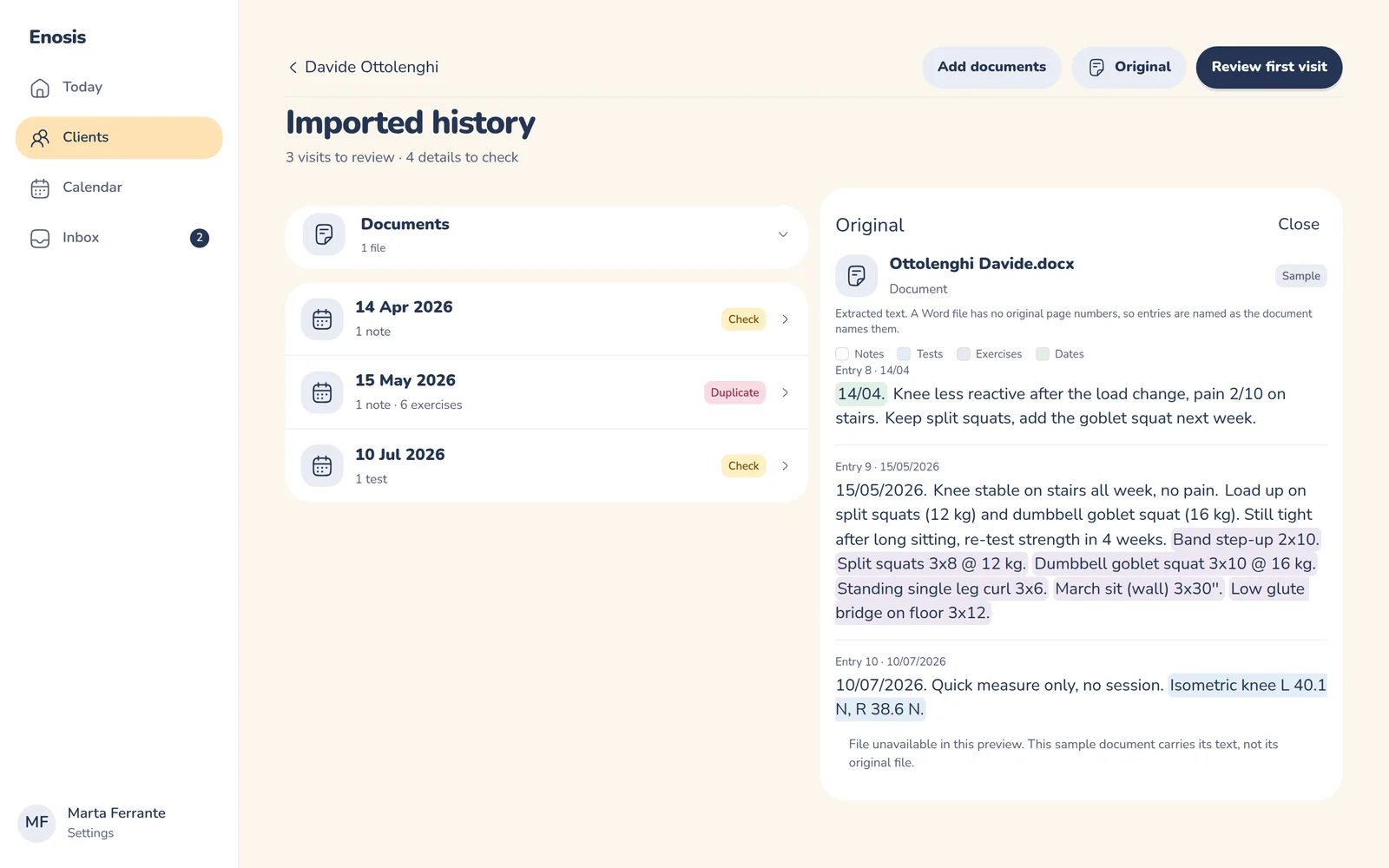
Drop in the files
Upload an export, or let it arrive in the inbox. Enosis finds the client, the date and every value inside it, and sets them out visit by visit.
-
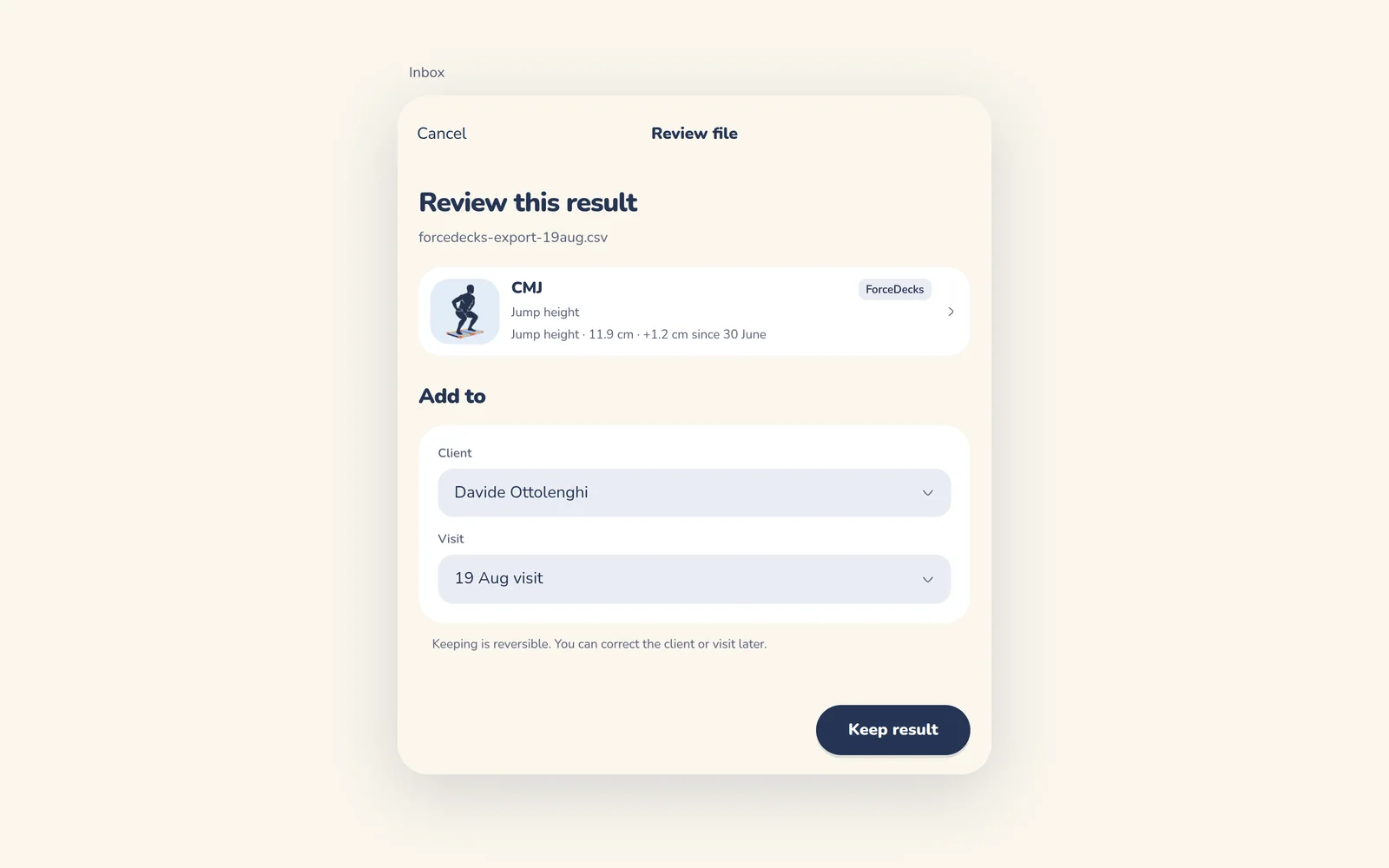
Confirm what counts
Every imported result waits for you in review. Nothing reaches a client's record until you keep it.
-
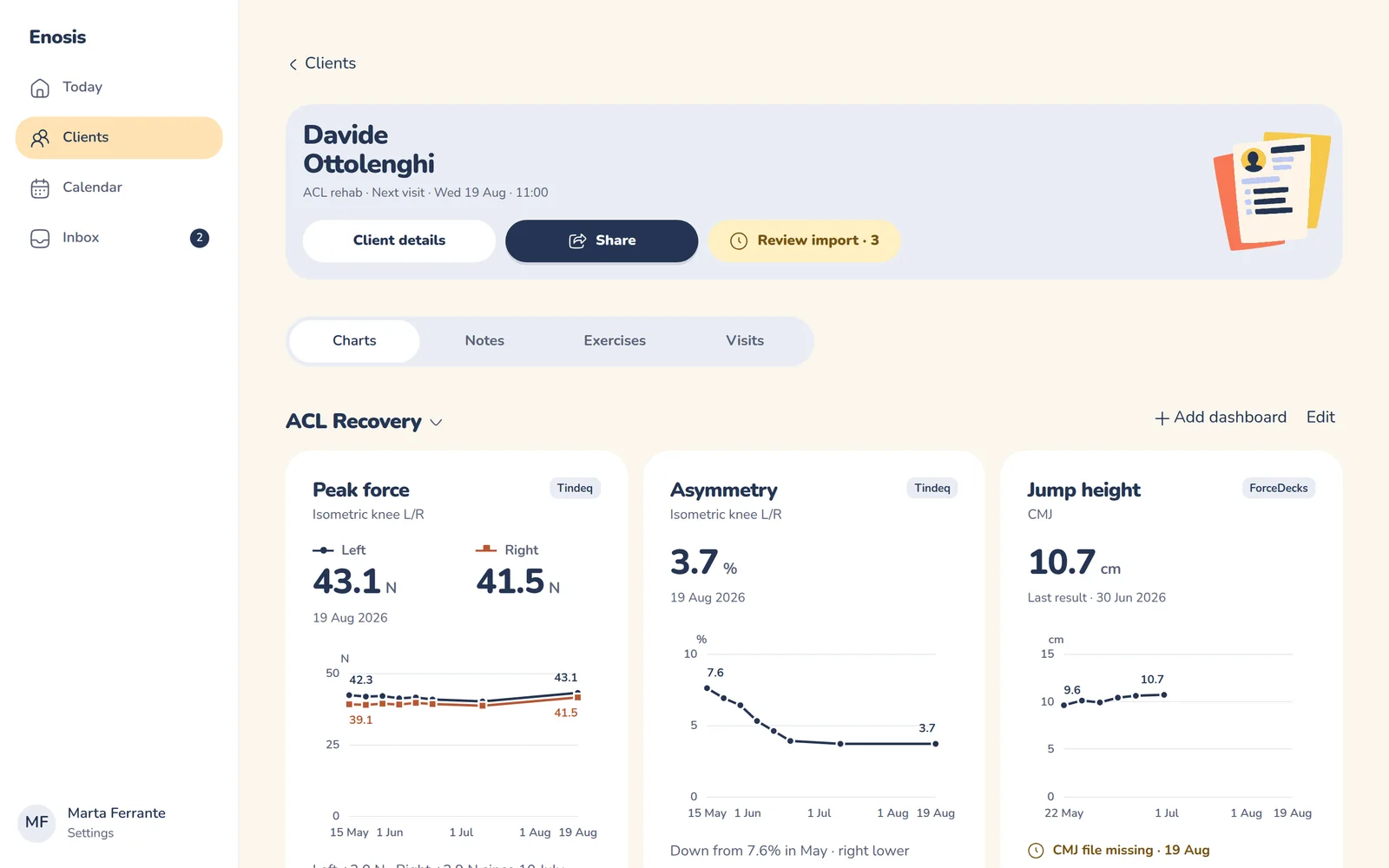
Read the progress
Left against right, the latest result, the change since the first test. Charts are ready to show you what you chose.
Beyond the data: everything to manage your studio.
Collecting and reading results is where Enosis starts. The rest of the week runs on it too.
-
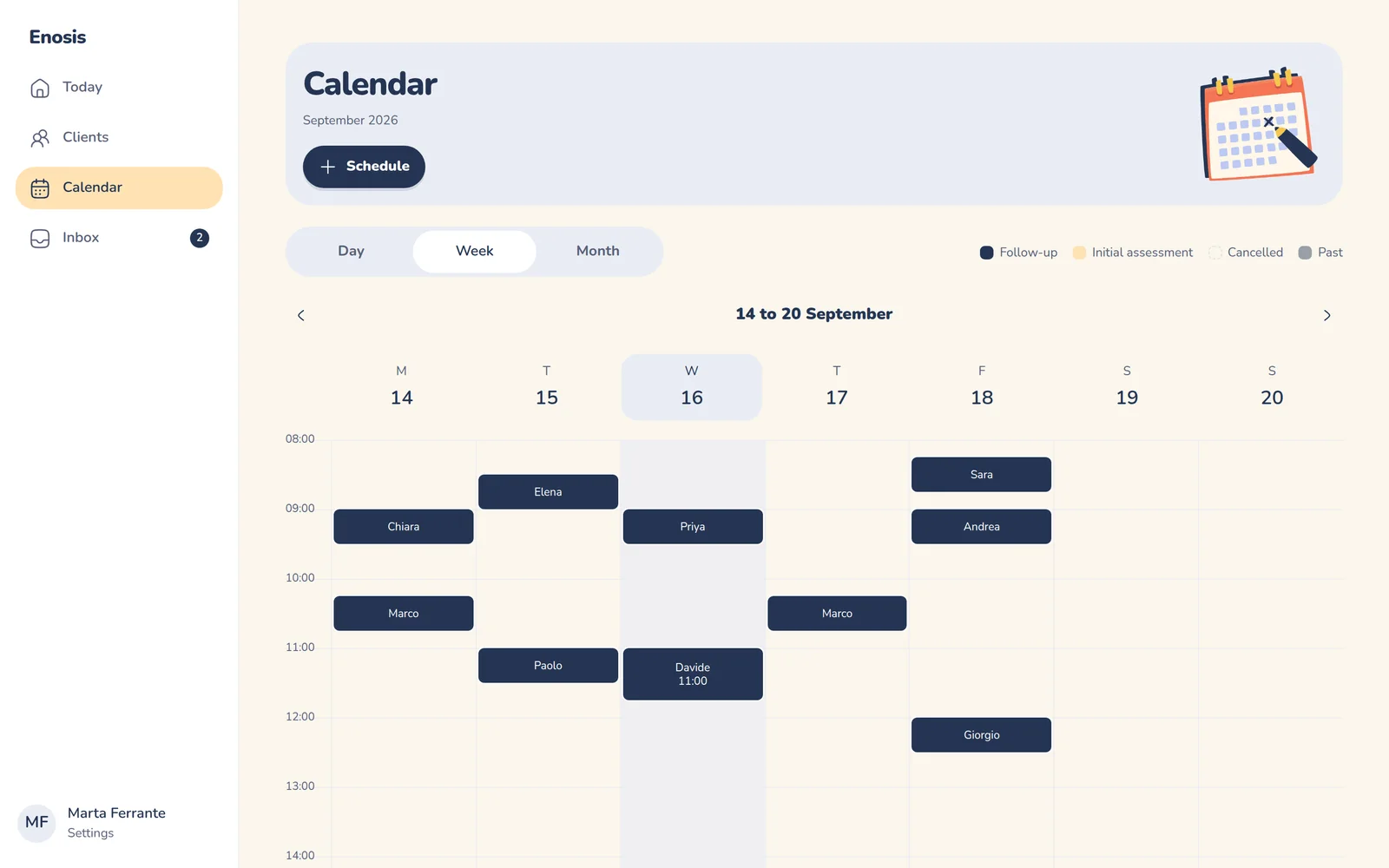
Appointments
The calendar and the record are the same object, so a session is never written down twice.
-
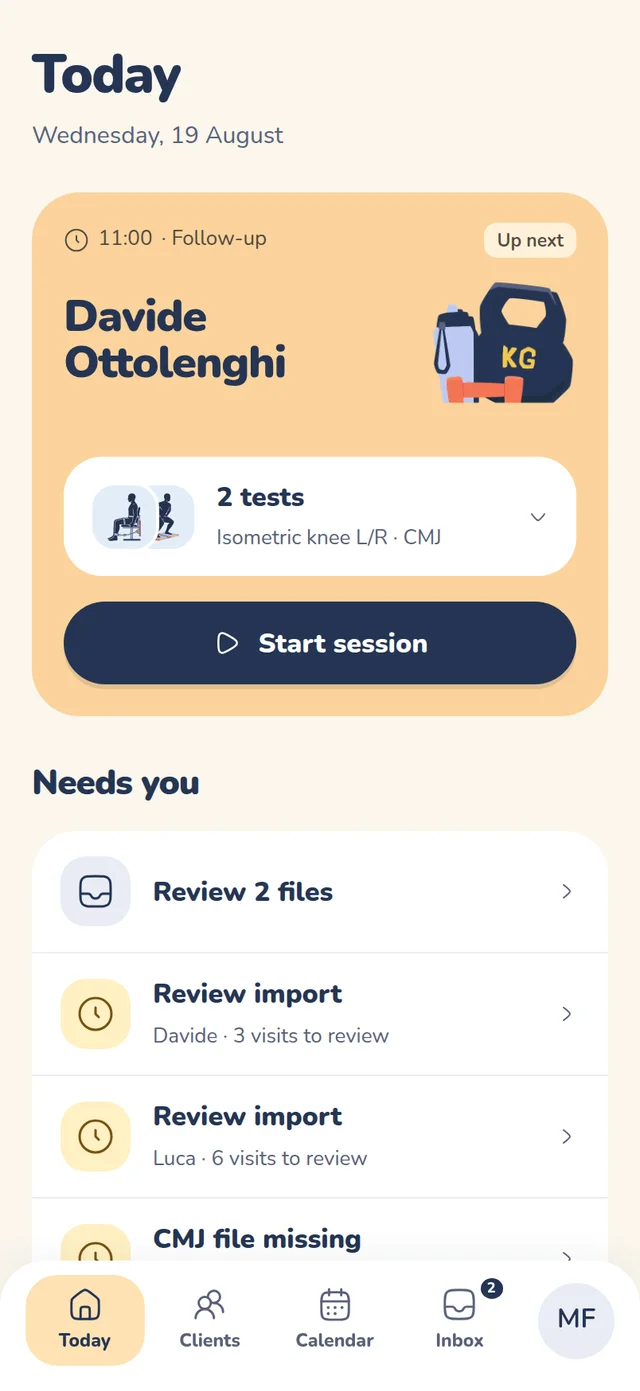
Your day at a glance
The next session, the tests it needs, and the files still waiting for you.
-
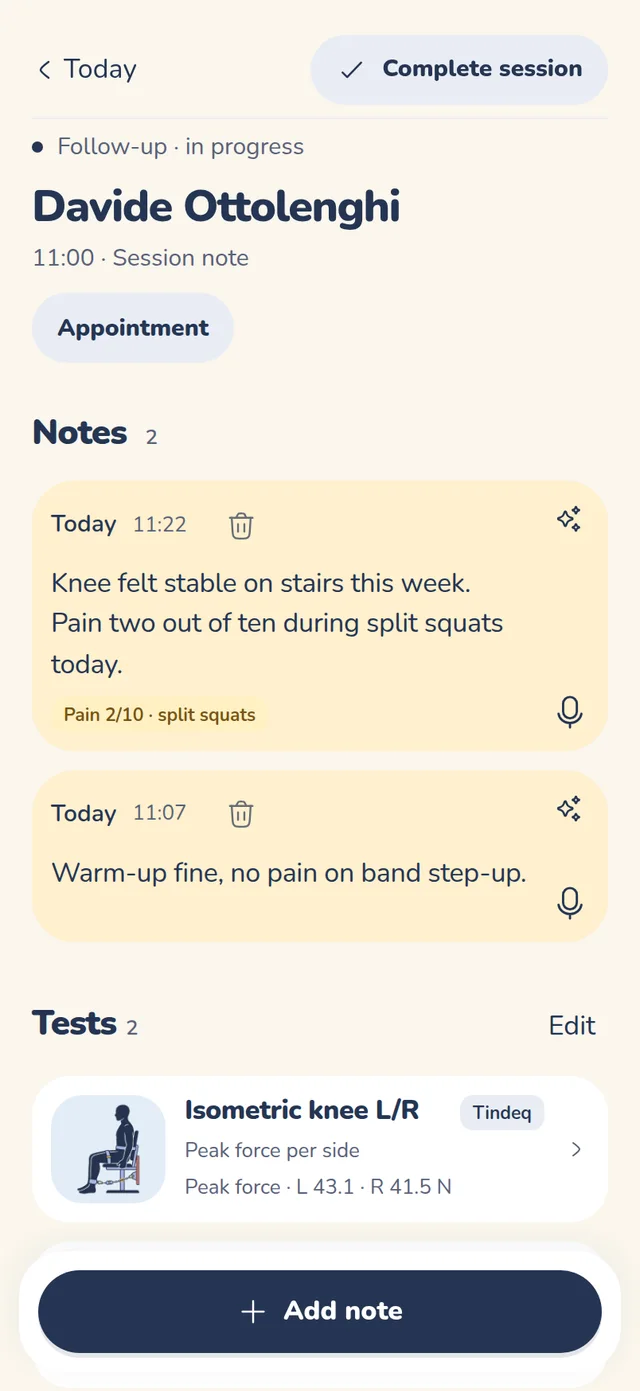
Live sessions
Tests, exercises and notes on one screen, on your phone, while the client is in front of you.
-
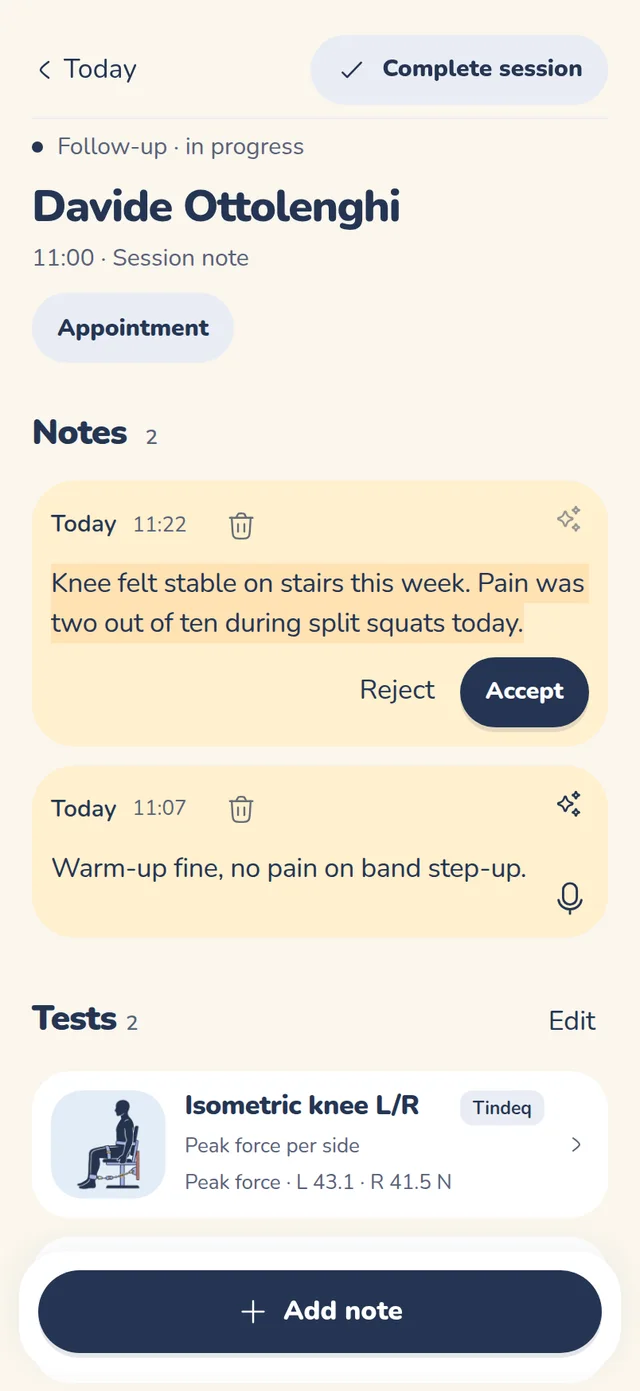
Notes, tidied by AI
Speak a note during the session. AI turns it into clean text, and you accept or reject it. It never touches a measurement.
-
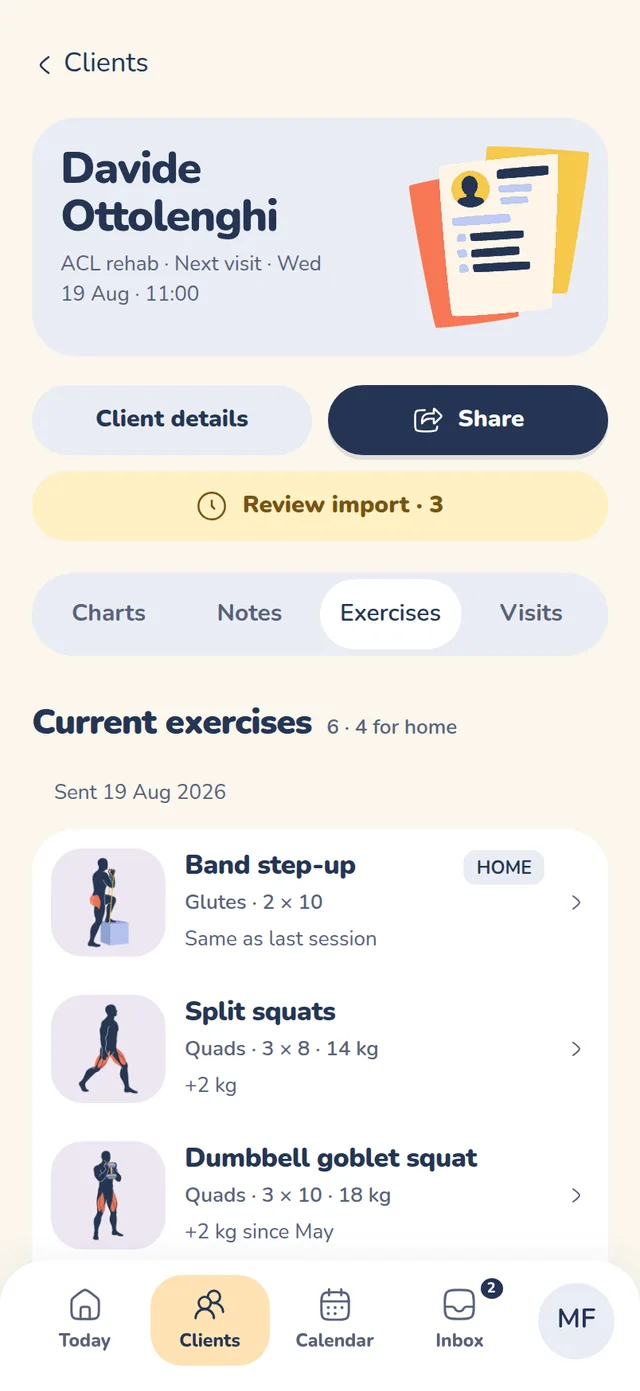
Exercises and programmes
Build a programme once, assign it, and adjust it from the session screen.
-
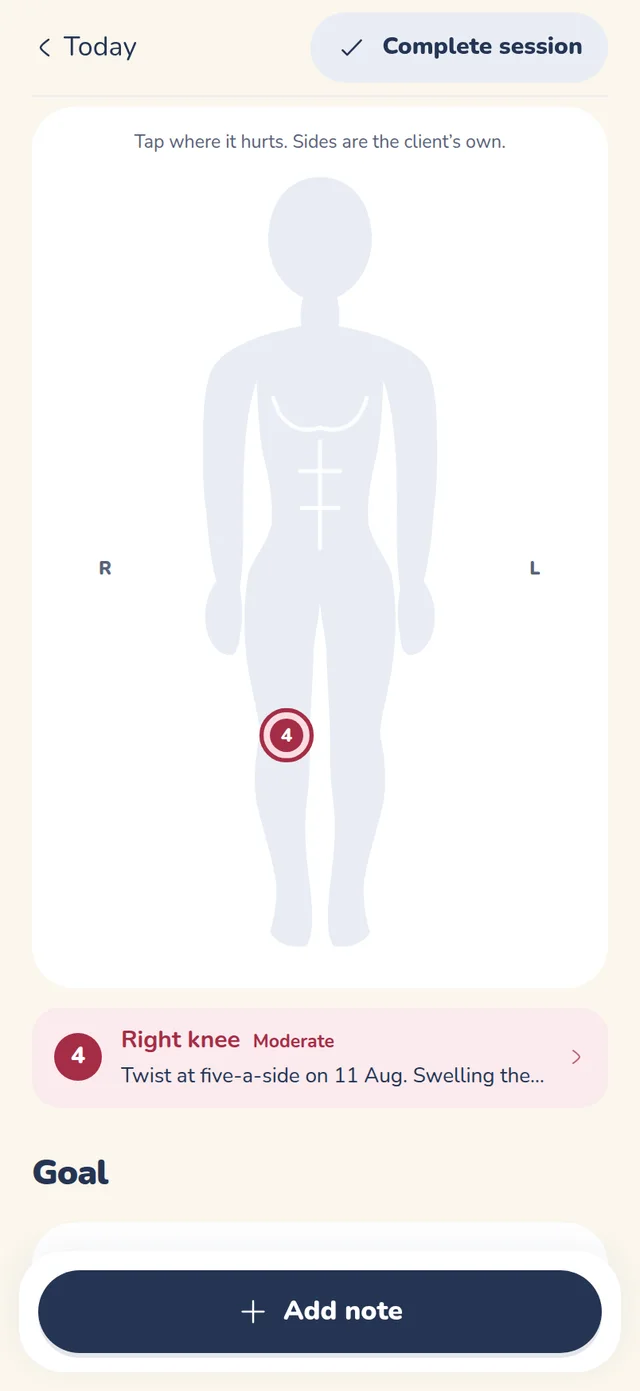
Body chart
Mark where it hurts and how much, visit after visit, on the same record.
-
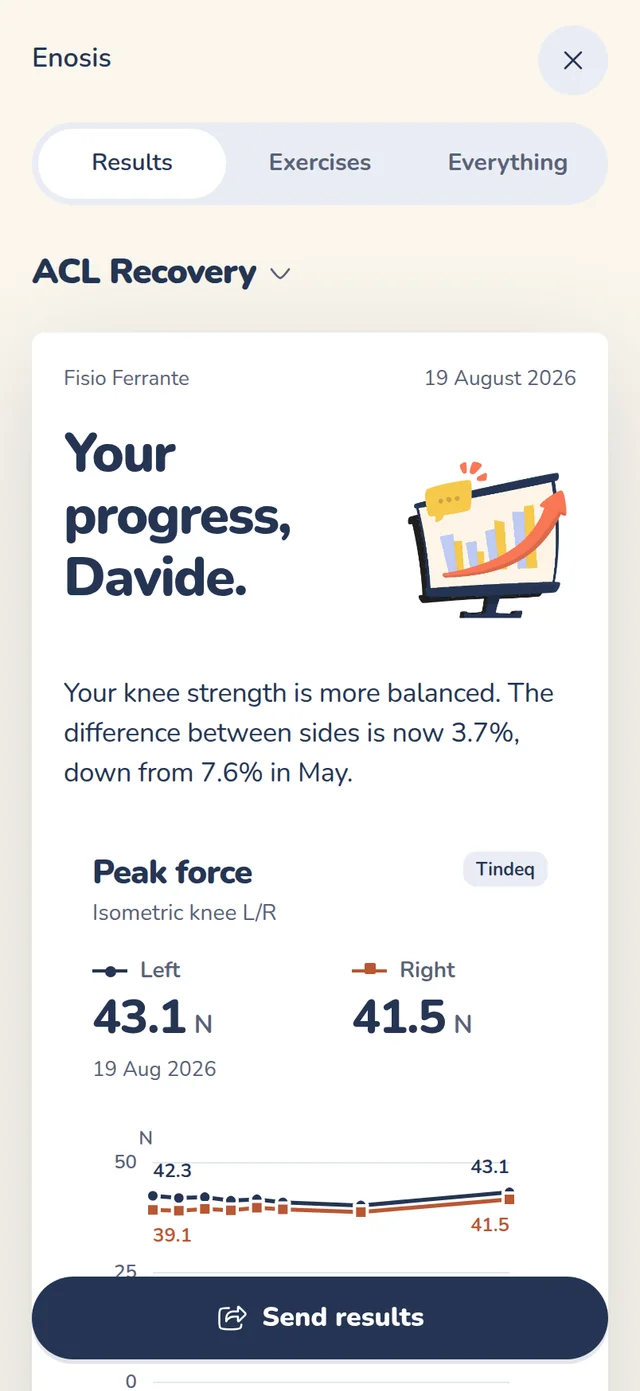
Something to hand over
Show clients their progress in plain words at the end of the session.
Bring us one export.
Send us a file from the device you use most. We will tell you what Enosis LAB would do with it, and what it would take if we do not read it yet.