
A client app with your studio's name, opened from a link
The client app opens from your studio's link in the phone's browser. Clients add it to the home screen, where it carries your studio's name and logo, and in it they book their sessions and follow the workouts you gave them.
- Free during the beta
- Italian, German and English
- Hosted in Germany
What your client finds in it
Your link
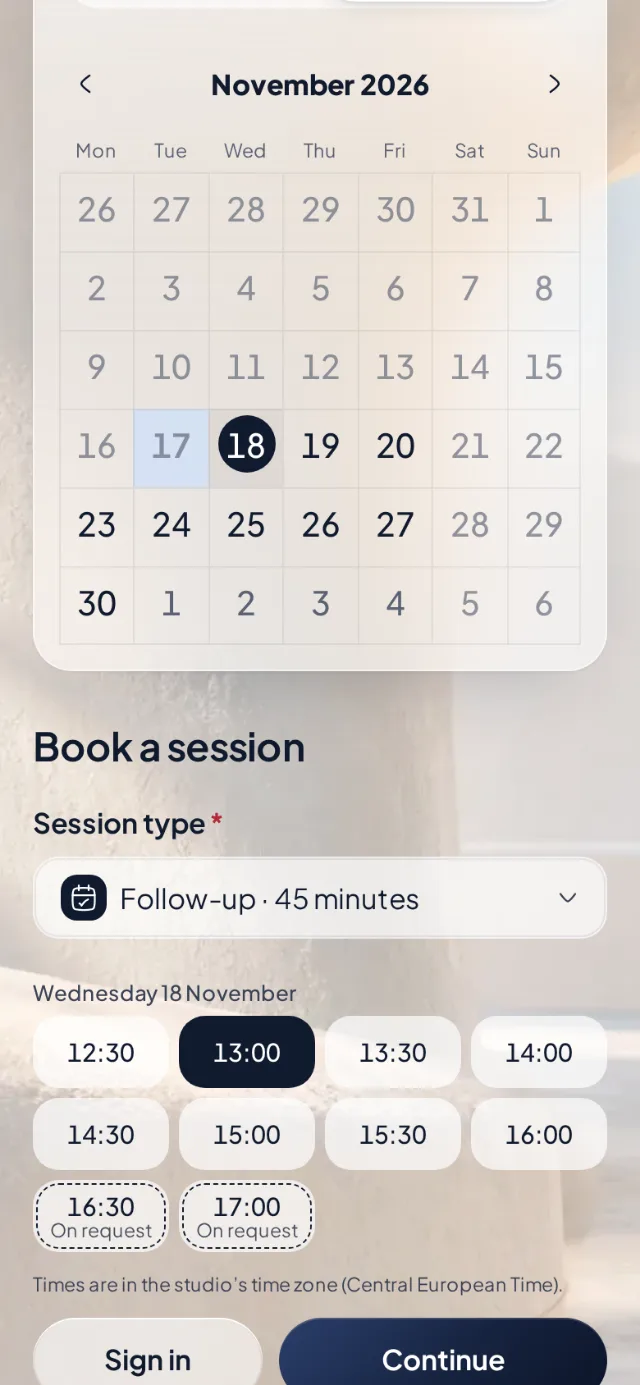
Your link, before anyone signs in. Anyone can see your free times on it. The client signs in with Google or a code sent by email, the first time they confirm a booking.
More about online bookingTraining
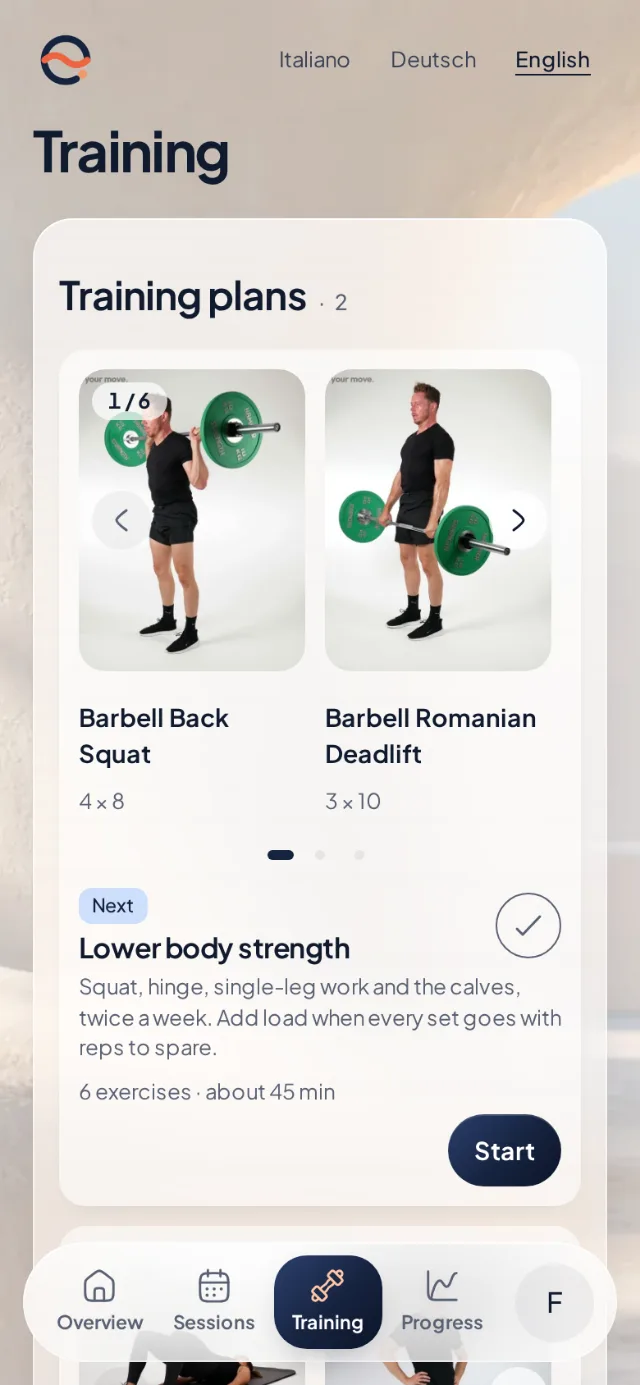
The Training tab, with demonstration data. Every workout you gave them that is still active, and the days they already did.
More about workoutsProgress
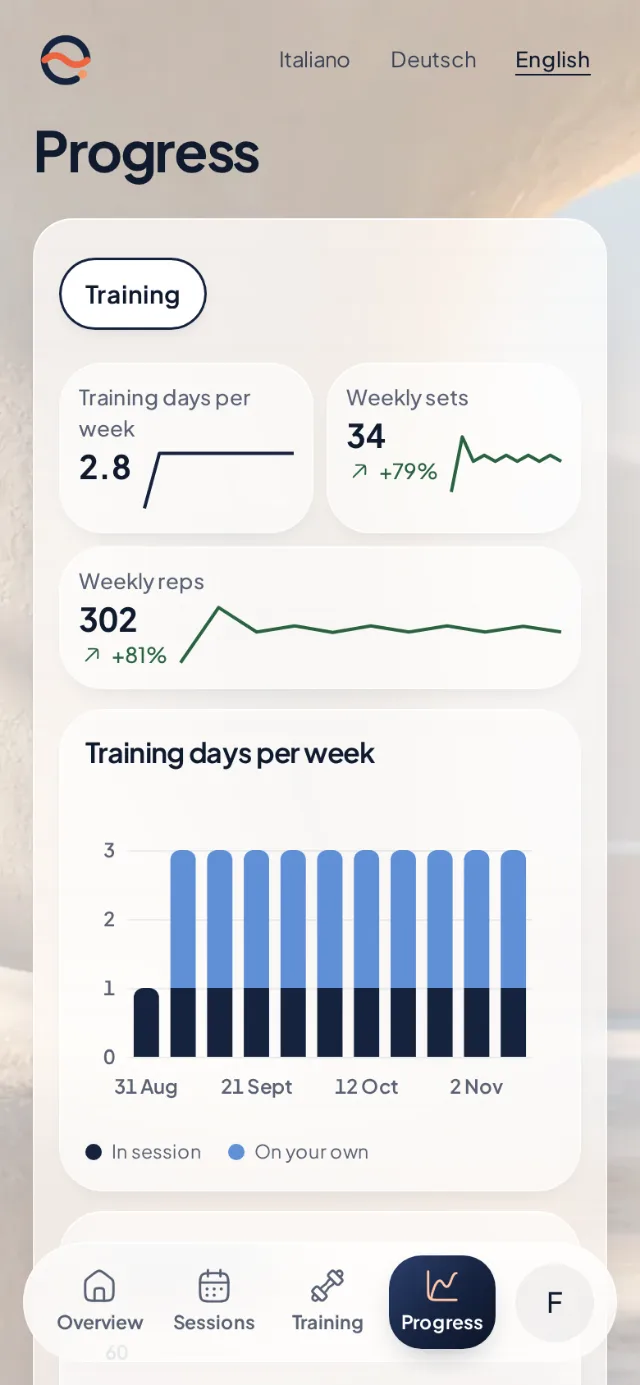
Training days per week, and the days in the studio against the days on their own. Their own charts, pain included where you record it, switched with one tap.
Overview
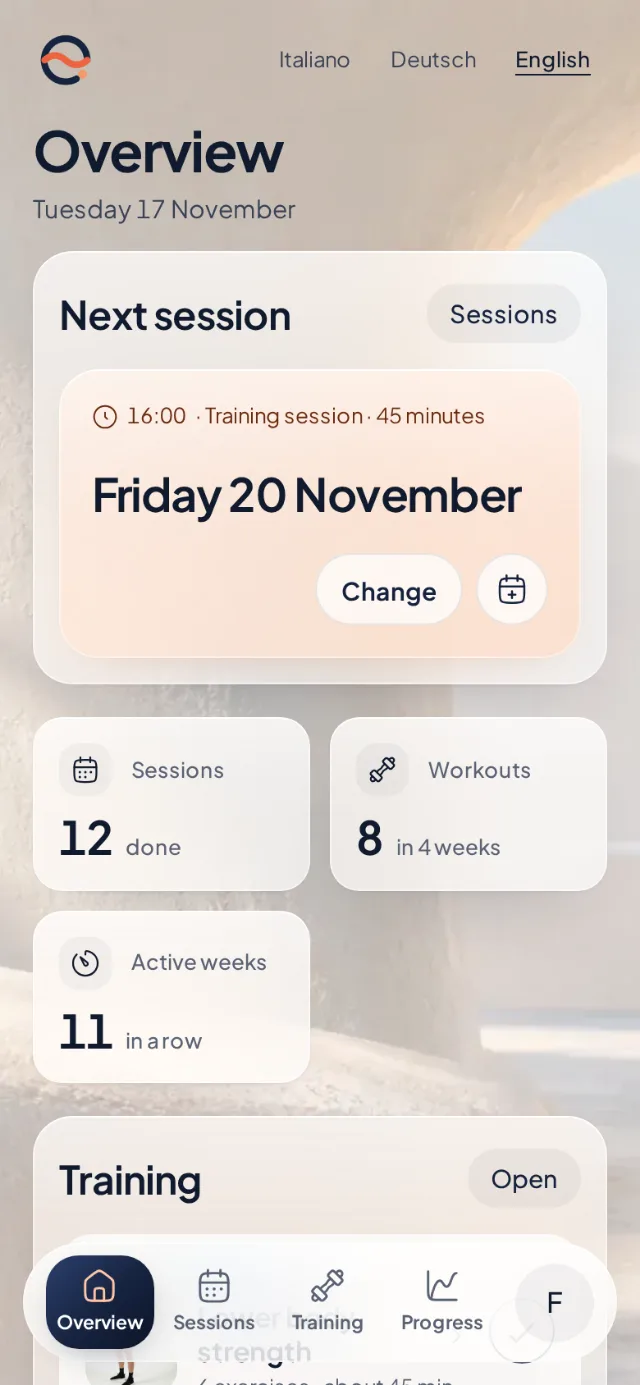
The screen at the top of this page. It shows the next session, with Change and a calendar file, then the work due, the notes you shared after the last session and their latest progress.
Sessions
What is coming and what is past, and a calendar to book, move or cancel a session.
Files and photos
The files and photos you shared, with the lines you drew on them, and a place to upload their own.
What it does
Notes and photos you share
A note reaches the app only when you mark it visible, and photos are shared one by one.
Rules for moving and cancelling
Clients move or cancel a session in the app only within the rules you set for your studio.
Turn the app on or off for your studio
One switch decides whether your clients can use the app at all.
What it does not do
Questionnaires stay in the session
Clients cannot fill in a questionnaire in the app. You go through it with them in the session.
No payments
Clients cannot pay you in the app.
No chat
There is no messaging between you and the client inside Enosis.
Goes with
Workouts
Build a workout once and adapt it to each client.
Online booking
One link where clients pick a time, with email reminders.
Questions
Do my clients need to download an app?
No. They open your studio's link in the phone's browser and add it to the home screen, where it stays like any other app, with your studio's name and logo.
What do they need to sign in?
A Google account, or an email address that can receive a sign-in code.
Where is my clients' data kept?
On a server in Germany, with encrypted backups in France; every sub-processor is in the European Union. Each file is encrypted on its own, and you sign in without a password, with an email code, a passkey or Google.
Request beta access
Enosis is free during the beta, and studios join by invitation. Leave your email to ask for an invitation.
Already invited? Log in